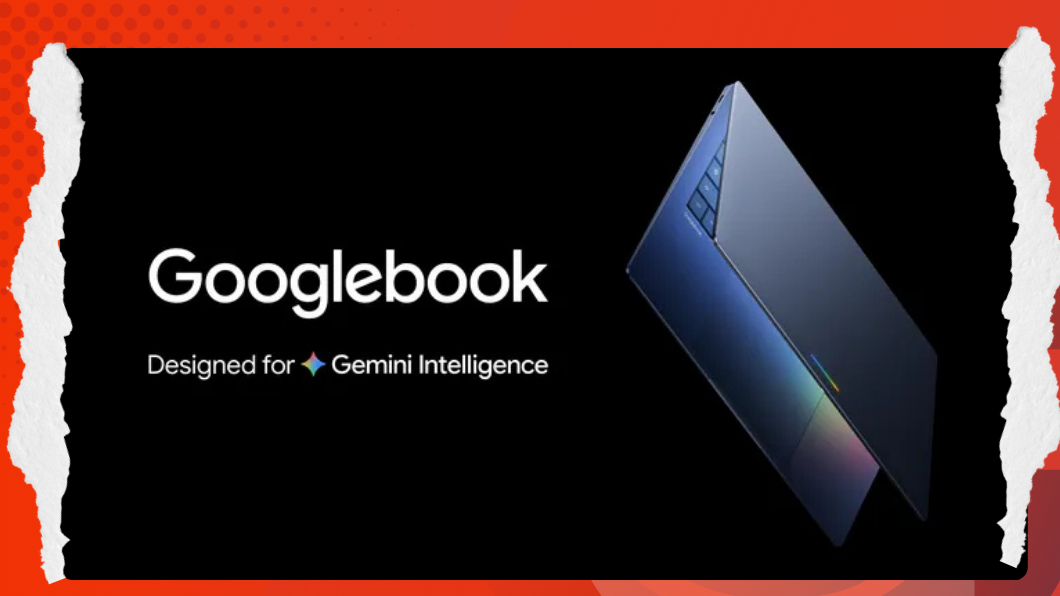
Fifteen years after Chromebooks helped define the low-cost, web-first laptop era, Google is taking another swing at personal computing with Googlebook, a new laptop category built around Android technologies and Gemini-powered AI. If Chromebooks were about the browser, Googlebooks look like they’re about context: native-feeling apps, tighter phone-to-laptop continuity, and AI features that are woven into the interface instead of living in a separate chat window.
Why Googlebook exists now
Google is not positioning Googlebook as a Chromebook replacement. Instead, the company appears to be creating a second laptop track: Chromebooks remain important for education, institutions, and long-support deployments, while Googlebooks target a more premium tier and move faster with the Android ecosystem. That distinction matters because one of ChromeOS’s long-running weaknesses was that it often sat on a different development track from Android, meaning new Android-era features did not naturally arrive on laptops. Googlebook is meant to close that gap.
Google is still being careful about what it calls the underlying operating system, but the platform is clearly built on Android technologies. That gives Googlebook a different strategic logic from ChromeOS; instead of adapting Android apps awkwardly into a web-centric laptop shell, Google can now make those apps “primary citizens” on a native laptop platform.
The real story is Gemini in the interface
Google and DeepMind describe an effort to rethink the humble pointer as an AI-aware interface layer. In DeepMind’s framing, today’s AI tools force users to leave their work, open a separate panel, and manually explain context. The company wants the opposite: AI that understands what you are already pointing at, what matters in that moment, and what you are trying to do. That is the thinking behind AI Pointer and, on Googlebook, its productized form: Magic Pointer.
DeepMind says the goal is to let users interact in more natural shorthand, “fix this,” “move that here,” “what does this mean?”, while the system interprets visual and semantic context around the pointer. In demos, the idea extends across images, documents, maps, tables, and code. Google says these interaction principles are now being applied in Chrome and will soon come to Googlebook through Magic Pointer.
WIRED reports that on Googlebook, Magic Pointer can surface contextual Gemini actions tied to whatever the cursor is hovering over. A date in an email might trigger a suggestion to create a calendar event; two selected images in Files might prompt Gemini to merge them. That’s a subtle but important shift: instead of launching AI as a destination, Google is trying to make AI feel like an ambient capability layered over the whole system.
Android apps, but this time as laptop apps
For years, the Android-on-Chromebook experience felt compromised. It’s useful in theory, but rarely convincing in practice. Googlebook is supposed to fix that by making Android apps native to the platform rather than secondary add-ons.
Google is pushing the idea of adaptive apps that respond not just to larger screens, but to desktop-style usage patterns and capabilities. The implication is that developers won’t merely stretch phone apps across a laptop display; they’ll build true desktop-grade Android experiences that can access hardware and OS features more directly than Android apps could on ChromeOS.
If Googlebook really runs on Android under the hood, app compatibility should immediately improve because the system is no longer trying to “shoehorn” Android apps into ChromeOS. That could finally give Google a laptop platform with a mobile-scale app ecosystem that feels less like a workaround.
Android phone integration may be the killer feature
Googlebook also looks designed to be the best laptop for Android phone owners. Google and multiple reports say users will be able to launch apps from their Android phone directly on the laptop, with files moving over seamlessly when needed. Ars describes a taskbar button that can list phone apps and open them in floating windows on the laptop, while WIRED notes that the Files app can search and open content stored on the phone.
Google has long had pieces of a cross-device story without a fully coherent laptop anchor. With Googlebook, the laptop becomes a native extension of the Android phone rather than a mostly separate environment. If Google executes well, this could become its closest equivalent to Apple’s Mac-iPhone continuity model, though Android phones will get more integration than iPhones because of platform limitations.
Widgets, agentic AI, and Google’s platform play
Android Show also introduced new Gemini Intelligence features, “vibe-coded” custom widgets, Gemini in Chrome, and more agentic cross-app actions. Googlebook appears to be the laptop expression of that same strategy: make Gemini capable of acting across surfaces, then make the interface more adaptable so users can shape what they see and do with natural language.
That helps explain why custom widgets matter here. Widget creation is part of the Googlebook story, with laptop versions adapted to the larger form factor. In other words, Google is not just adding AI features to a laptop; it is trying to make the laptop home screen, cursor, app model, and cross-device flow all feel AI-native.
Can Googlebook escape the fate of ChromeOS laptops?
That depends on whether Googlebook solves three old Google laptop problems at once: app quality, platform clarity, and developer commitment.
On paper, Googlebook has a better shot than ChromeOS ever did at delivering a compelling laptop app ecosystem, because it is rooted in Android’s faster-moving software stack. It also arrives at a moment when AI can be used as a differentiator at the operating-system level, not just inside standalone apps. If Magic Pointer works well and adaptive Android apps truly feel desktop-class, Googlebook could become the first Google laptop platform that feels designed for the modern AI era rather than retrofitted into it.
But Google will still need to answer practical questions: what app-store policies will apply, how open the platform will be, how clearly it will distinguish Googlebook from ChromeOS, and whether developers will build genuinely great laptop experiences instead of stretched-out phone interfaces. Ars notes that Google is still being vague on parts of the software ecosystem, which suggests the final shape of the platform is not fully public yet.