

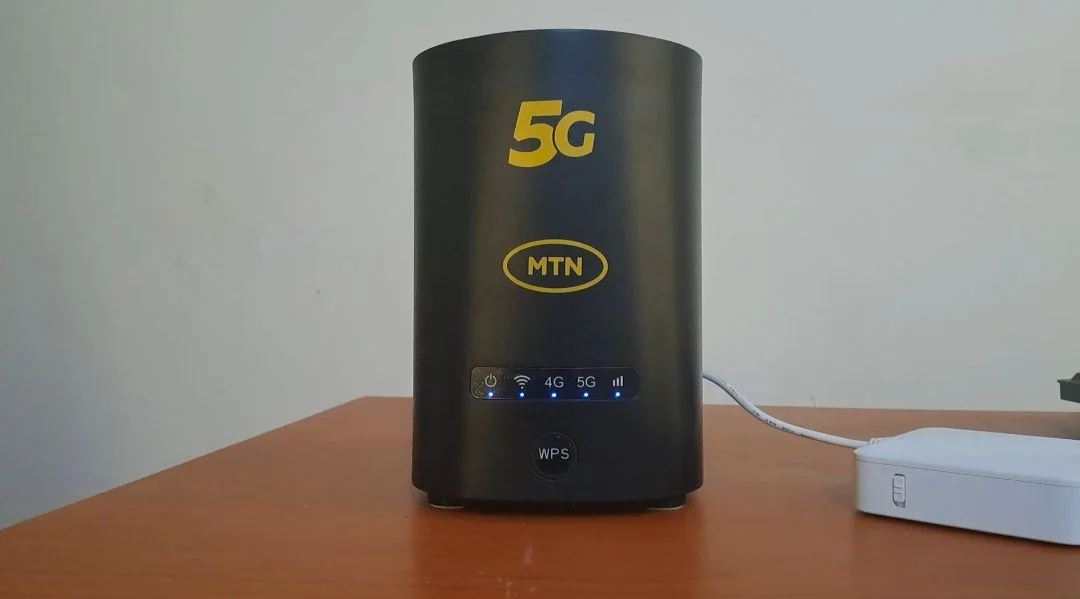
When I decided to upgrade my internet setup for remote work, I went for the MTN 5G router, a move driven by equal parts necessity and curiosity. With the rising demand for stable connections and seamless video calls, my regular 4G setup was beginning to show its limits. After a few weeks of using the 5G router, here’s my honest take.
First Impressions and Setup
The router’s unboxing and installation were straightforward. It powered on quickly, detected the SIM almost instantly, and connected to multiple devices without any fuss. MTN’s interface is clean and easy to navigate, allowing for quick configuration even for non-technical users.
From the start, the speed improvement was obvious. My first speed test hit over 200 Mbps, more than enough to handle large file uploads, HD streaming, and video conferencing without lag. It felt like a real leap from the patchy performance I had with my older 4G modem.
Performance in Daily Use
For remote work, this router has made a tangible difference. I can join back-to-back meetings on Zoom or Teams without worrying about dropped connections or buffering. File transfers are noticeably faster, and even cloud-based tasks that used to stall now complete smoothly.
That said, the performance isn’t flawless. The speed dips considerably in areas with weaker 5G coverage. During those moments, it feels like being pulled back into 4G territory. Web pages load more slowly, and uploads take longer. It’s not unusable, but the difference is noticeable, especially if you’re depending on consistent bandwidth for professional tasks.
Coverage and Stability
MTN’s 5G network is still expanding, so coverage remains uneven. In strong-signal areas, the router is excellent. But when the signal drops, so does the experience. I’ve also noticed that the router tends to warm up after long hours of continuous use, though not to a worrying level.
The device supports both Wi-Fi 6 and multiple connections, which means I can keep several devices online simultaneously (laptops, phones, and even my smart TV) without a significant performance drop.
Value for Money
The router isn’t cheap, but for anyone who works remotely or manages large data transfers, it’s a worthwhile investment. The speed and convenience justify the cost, as long as you’re in an area with solid 5G coverage.
Verdict
Overall, I’d rate my experience as positive. The MTN 5G router delivers on speed and reliability, especially when the signal is strong. It has streamlined my workflow and reduced the friction I used to face during heavy work sessions.
However, if you live in a location where 5G signals fluctuate, you might experience dips in performance. It’s not a dealbreaker, but it’s worth considering before buying.
For me, though, it’s been a solid upgrade, a reliable companion in my remote work setup that mostly lives up to the 5G promise.