Video Editing: The Best Skill for the “Non-Techy” Beginner
If you followed the first part of this series, you know the drill: we aren’t here to find the “perfect” career on day one. We are here to find a starting point that doesn’t make you want to pull your hair out.

In the last article, we talked about Graphic Design and how it gives you that instant “I made this!” feeling. But what if you want a little more movement? What if you want to tell a story that breathes, speaks, and has a rhythm?
Welcome to Video Editing.

If “Tech” feels like a scary, faceless monster to you, think of video editing as the friendly gatekeeper. You don’t need to understand Python, and you don’t need to be a math genius. Video editing is simply the art of arranging time, clips, and sound to tell a story.
When I first started trying out different tech paths, I realized something important: Clarity doesn’t come from thinking; it comes from doing.
Video editing is one of the most high-leverage skills you can pick up in 30 days. And that is because every brand, every creator, and every business on the planet is currently screaming for video content. By learning this, you aren’t just “picking a niche”, you’re learning how to communicate in the most powerful language of the 21st century.
We should all be content creators!!
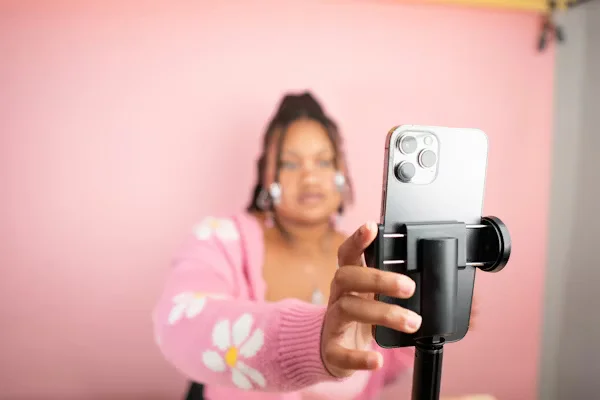
The best part is you already have a phone and so you have a film studio.
The 30-Day Game Plan
Don’t try to learn “Cinema”, that will take too long, just learn “The Cut.”
Week 1: The Setup & The Basics
Download CapCut (it’s free and works on everything). Your only goal this week is to learn how to Trim and Split.
- Take a random videos of your day.
- Cut out all the “umms,” the long pauses, and the shaky camera movements.
- Milestone: Export a 30-second “Day in the Life” video.
Week 2: Sound & Rhythm
Video is 50% audio. This week, learn how to layer music.
- Use the YouTube Audio Library or CapCut’s built-in sounds.
- Try to make your cuts happen exactly when the “beat” of the music hits.
- Milestone: A 15-second “vibe” edit where the visuals match the music perfectly.
Week 3: Text & Polish
This is where you use your Graphic Design eyes.
- Learn to add Auto-Captions (CapCut does this in one tap).
- Focus on readability, make sure your text doesn’t blend into the background.
- Milestone: A “Talking Head” video (like a tip or a rant) with clear captions.
Week 4: The Final Polish
Revisit your favorite videos from the month. Pick the best one and add “B-roll”— which is just extra footage from sites like Pexels or Mixkit that covers up your edits and keeps the viewer interested.
Where to Show Your Work
You don’t need a fancy portfolio yet, your social media will do just fine. As you learn, post your “Work in Progress” on the GenZ Desk Community.
Tell the community: “This is my Day 14 edit. I struggled with the audio, what do you think?” You’ll find that the feedback there helps you find your “Niche” much faster than sitting alone in your room.
When to Keep Going or Switch
Keep going if you find yourself lost in the flow. When you look up and three hours have passed while you were editing, you’ve found something worth exploring. Go deeper into tools like DaVinci Resolve or professional colour grading.
Switch if moving clips around a timeline feels like a chore and you’d rather be back in Figma. That is great news. You now know you prefer static visuals over motion.
Either way, you’re moving closer to your answer.
May the force (and us) be with you!