
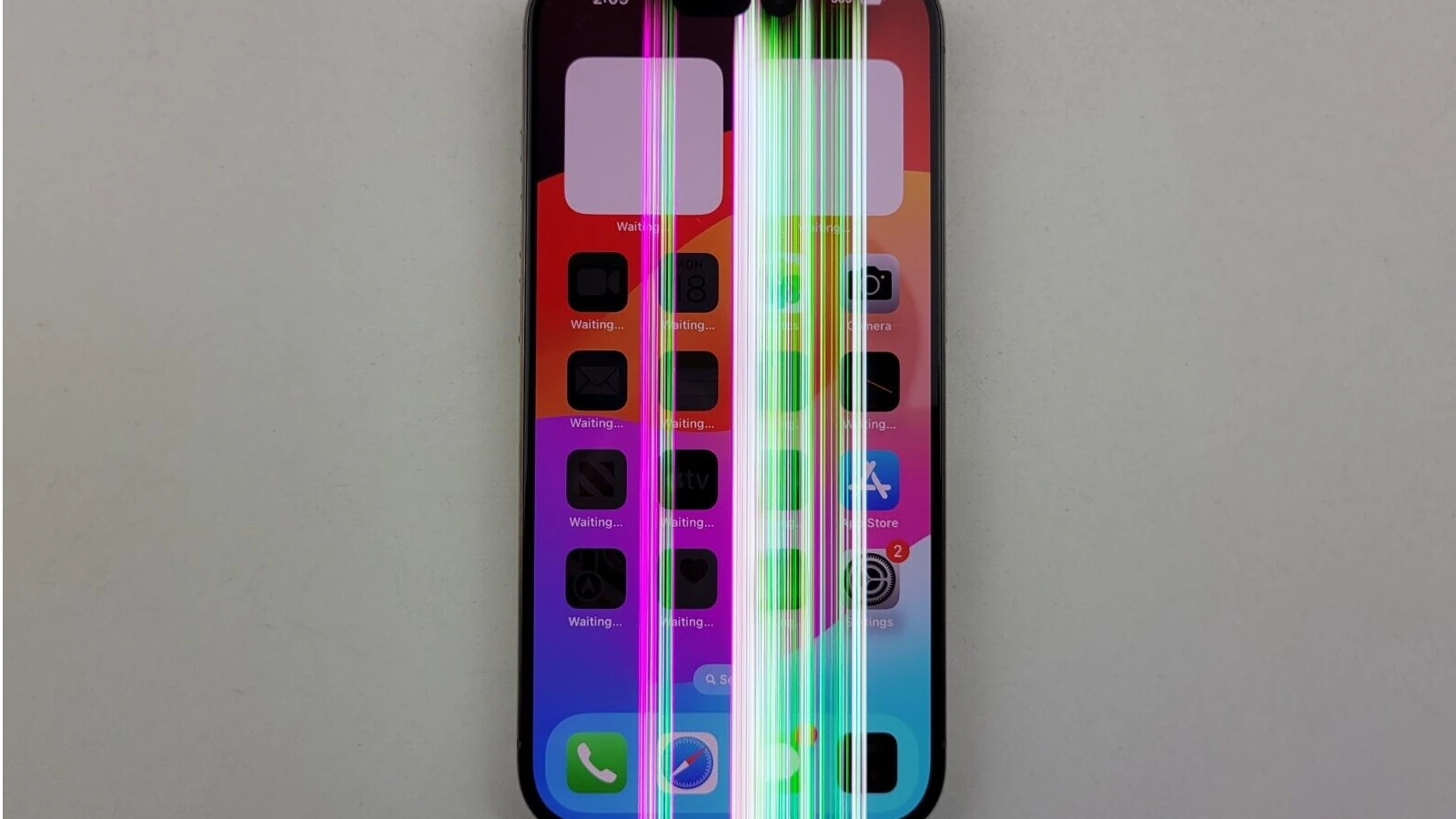
Seeing strange lines appear on your phone screen can be alarming. Your phone is likely your most-used device, storing everything from photos to banking apps, so screen problems feel particularly urgent. Before you rush to the repair shop or consider buying a new phone, understanding what different types of lines indicate can help you determine whether you’re dealing with a minor glitch or serious damage.

Vertical Lines on Your Phone Screen
Vertical lines running from top to bottom are one of the most common screen issues on both iPhones and Android devices. These lines can appear as thin, hair-like streaks or thick bands, often in colours such as white, black, green, or pink.
On iPhones, vertical lines frequently result from dropping the device or applying pressure to the screen. The iPhone’s OLED or LCD display contains delicate internal connections that can become damaged from impact. Even if your screen didn’t visibly crack, the internal components may have been affected. Sometimes vertical lines appear gradually on older iPhones, particularly around the edges, indicating general display degradation.
Android phones face similar issues, though the symptoms can vary by manufacturer. Samsung Galaxy devices with AMOLED screens are particularly susceptible to vertical line burn-in, where specific pixels become stuck displaying certain colours. Google Pixel and OnePlus users have reported vertical lines appearing after software updates, suggesting that sometimes the issue is firmware-related rather than hardware damage.
Horizontal Lines Across the Display
Horizontal lines stretching across your phone screen often indicate more serious problems than vertical ones. These lines might flicker, remain static, or move up and down the display. On both iPhone and Android devices, horizontal lines typically point to motherboard issues, damaged display connectors, or a failing screen.
Water damage is a common culprit behind horizontal lines. Even if your phone is water-resistant, moisture can seep into the device over time or through small cracks. Corrosion on internal components can cause horizontal line artefacts. If your phone was recently exposed to water and develops horizontal lines, this connection is worth investigating.
Overheating can also cause horizontal lines. Phones pushed to their limits through gaming, video recording, or direct sunlight exposure can develop temporary horizontal lines that disappear once the device cools down. However, if these lines become permanent, the heat may have caused lasting damage.
Dead Pixel Lines and Screen Burn
A line of dead or stuck pixels appears as a continuous stripe of black dots (dead pixels) or colored dots (stuck pixels). This happens when an entire row or column of pixels stops functioning properly. While individual dead pixels are common and often unnoticeable, entire lines are more problematic.
OLED and AMOLED screens, found in newer iPhones and many flagship Android devices, are particularly prone to burn-in. This occurs when static images displayed for extended periods leave permanent ghost images or lines on your screen. Status bars, navigation buttons, and keyboard areas are especially vulnerable to burn-in on Android phones.
Green, Purple, or Rainbow Lines
Colored lines deserve special attention. A bright green vertical line on an iPhone often indicates damage to the display’s internal circuitry or a loose connection between the screen and motherboard. This became particularly common with certain iPhone X and iPhone 11 models.
Purple or pink lines on Samsung devices have been widely reported across various Galaxy models, usually pointing to manufacturing defects or age-related display deterioration. Multiple colored lines creating a rainbow effect typically mean severe screen damage requiring replacement.
Software vs. Hardware Issues
Before assuming hardware damage, rule out software problems. Sometimes lines appear after iOS or Android updates due to driver glitches. Try these steps:
Restart your phone completely. Force restart if necessary because this clears temporary software bugs.
Update your operating system and apps. Manufacturers often release patches for display-related issues.
Boot into Safe Mode (Android) to see if third-party apps are causing the problem.
Reset display settings or perform a factory reset as a last resort.
If lines disappear during these troubleshooting steps, you likely have a software issue. If they persist regardless of what you do, hardware damage is more likely.
When to Seek Repair
Persistent lines that won’t go away typically require professional repair. For iPhones still under warranty or AppleCare+, screen replacement through Apple is your best option. For Android devices, check your manufacturer’s warranty coverage.
Third-party repair shops offer cheaper alternatives, but be aware that unauthorised repairs may void remaining warranties. Screen replacement costs vary widely; budget Android phones might not be worth repairing, while flagship devices and iPhones often justify the investment.
Understanding these screen line issues helps you make informed decisions about whether to repair, replace, or simply live with minor display imperfections.